
Last updated on September 25th, 2026 at 07:06 am
English learners often see the words screen, monitor, and display when they talk about computers, phones, televisions, and other electronic devices.
At first, these words can seem like three names for exactly the same thing. Sometimes they can mean nearly the same thing, but there are small differences in meaning, usage, and context.
For example, you may say, “My phone screen is cracked.” You can also hear someone say, “I need a new computer monitor.” In technical writing, however, you may see the word display used to describe the part of a device that shows pictures, text, or video.
This can be confusing because native speakers do not always use these words in a strict way. The meaning can change depending on the device, situation, and type of English being used.
Understanding these words is useful in everyday English. You may need them when talking about a laptop, buying a computer, fixing a phone, describing a television, or explaining a problem with an electronic device.
The good news is that the basic difference is easy to understand. Screen is the most common everyday word for the visible surface where images and information appear.
Monitor usually means a separate computer display. Display is a broader and more technical word for something that presents visual information.
Once you understand these basic ideas, choosing the right word becomes much easier.
What Does “Screen” Mean?
A screen is the part of an electronic device where you can see pictures, words, videos, apps, or other visual information.
It is one of the most common words in everyday English. We use it when talking about phones, tablets, laptops, televisions, computers, smartwatches, and many other devices.
The word “screen” can refer to the physical surface itself or, in some situations, to the visual area shown on it.
For example:
- “My phone screen is broken.”
- “The screen on my laptop is very bright.”
- “Please look at the screen.”
- “I watched a movie on the big screen.”
- “There is a scratch on the screen.”
- “Turn off the screen when you finish.”
- “The screen is too dark.”
- “I can’t see anything on the screen.”
In these examples, screen is a natural everyday word.
When Should You Use “Screen”?
Use screen when you are talking about the visible area of a device in normal conversation.
If your friend asks what is wrong with your phone, you would probably say:
“The screen is cracked.”
You would not normally say:
“The display surface of my phone is cracked.”
That second sentence may be understandable, but it sounds much more technical than necessary.
“Screen” is especially common with personal devices:
- phone screen
- tablet screen
- laptop screen
- TV screen
- computer screen
- smartwatch screen
You can also use “screen” in several common expressions.
For example:
screen time means the amount of time someone spends using a device with a screen.
“My children spend too much screen time on weekends.”
on-screen means something that appears on a screen.
“The actor looks very different on-screen.”
Grammar Rule for “Screen”
“Screen” is a countable noun when you mean a physical screen.
You can say:
- a screen
- one screen
- two screens
- several screens
- the screen
Examples:
“I bought a new monitor with a large screen.”
“There are two screens on his desk.”
“Screen” can also be used as a verb, although this meaning is different. As a verb, to screen can mean to examine or test someone or something.
For example:
“The company screens all new employees.”
That meaning is not related to computer screens, so beginners should pay attention to the context.
Common Learner Confusion
Many learners think “screen” only means the glass surface on a phone or laptop. In everyday English, it can be used much more broadly.
For example, people commonly say:
“The TV screen is too small.”
They can also say:
“Look at the computer screen.”
The word is flexible and works naturally with many types of devices.
What Does “Monitor” Mean?
A monitor is usually a separate electronic device that shows information from a computer or another source.
The word is especially common when talking about desktop computers.
For example:
“I bought a new computer monitor.”
“This monitor has a very clear picture.”
“My monitor is connected to my laptop.”
“The monitor is too large for my desk.”
A monitor is normally a complete display unit that you can connect to a computer. It usually has its own frame, ports, controls, and power connection.
When Should You Use “Monitor”?
Use monitor when you mean a separate display device, especially one used with a desktop computer.
Imagine a desk with a computer tower and a separate display sitting on top of the desk. That separate display is normally called a monitor.
For example:
“I need a second monitor for work.”
This sounds very natural.
You might also hear:
“I use two monitors at work.”
This means the person has two separate display units connected to a computer.
Monitor vs Screen
Here is an important point: a monitor has a screen, but a screen does not always mean a monitor.
For example, a laptop has a screen, but we normally do not call the whole laptop screen a “monitor.”
You can say:
“My laptop screen is broken.”
You would usually not say:
“My laptop monitor is broken.”
The second sentence might be understood, but it is not the normal everyday choice.
Similarly, a television has a screen, but we normally call the device a TV, not a monitor.
Grammar Rule for “Monitor”
“Monitor” is a countable noun.
You can say:
- a monitor
- one monitor
- two monitors
- several monitors
- the monitor
Examples:
“I need a bigger monitor.”
“She has three monitors on her desk.”
“The monitor is connected to the computer.”
The word can also be used as a verb. As a verb, monitor means to watch or check something carefully.
For example:
“The nurse monitors the patient’s condition.”
“We monitor the system every day.”
This verb meaning is not specifically about computers.
Common Learner Confusion
The biggest mistake is using “monitor” for every kind of screen.
A phone has a screen, not usually a monitor.
A tablet has a screen.
A laptop has a screen.
A desktop computer normally has a separate monitor.
So, if you are talking about a separate computer display, “monitor” is usually the best word.
Screen vs Monitor vs Display in Gaming and Work Setups
The choice between screen, monitor, and display can become clearer when talking about gaming or work setups.
In gaming, people commonly use monitor when they mean a separate device connected to a computer or gaming system.
“I bought a new gaming monitor.”
But they may use screen when talking about what they see:
“The screen looks too dark.”
The word display is also common when discussing technical features.
“This display has a high refresh rate.”
The same pattern appears in office work. Someone might say:
“I have two monitors on my desk.”
They could then say:
“The screen on the left is brighter.”
And when discussing specifications, they might say:
“The display has better color accuracy.”
So, the context can change the most natural word. Monitor often identifies the equipment, screen identifies the visible viewing area, and display is useful when discussing the visual technology or its features.
Difference Between Screen and Monitor and Display
The three words are closely related, but they are not always interchangeable.
The easiest way to understand them is to think about everyday use versus device type versus technical meaning.
| Word | Basic Meaning | Common Use | Example |
|---|---|---|---|
| Screen | The visible area where images or information appear | Phones, tablets, laptops, TVs, computers | “My phone screen is cracked.” |
| Monitor | A separate display device, usually for a computer | Desktop computers and workstations | “I bought a new monitor.” |
| Display | A broad term for something that shows visual information | Technical language and many electronic devices | “The display is very bright.” |
Screen: The Everyday Word
Screen is usually the safest word in normal conversation when you are talking about the visible part of an electronic device.
If you are holding a smartphone, you can say:
“The screen is dirty.”
If you are watching television:
“The screen is too dark.”
If you are using a laptop:
“I can’t see the screen clearly.”
This word feels natural and simple.
Monitor: The Separate Device
Monitor focuses more on the device itself, especially a separate computer display.
For example:
“I connected my laptop to an external monitor.”
Here, “monitor” is a separate piece of equipment.
This is why “monitor” is strongly connected with desktop computers, offices, gaming setups, and professional workstations.
You may hear expressions such as:
- gaming monitor
- computer monitor
- external monitor
- second monitor
- dual-monitor setup
- widescreen monitor
Display: The Broad or Technical Word
Display is broader.
It can refer to the part of a device that shows information, but it is also common in technical descriptions.
For example:
“This phone has a high-resolution display.”
“The display uses less power.”
“The device has a bright OLED display.”
A phone screen and a phone display can refer to essentially the same physical area in many contexts. However, display often sounds more technical or product-focused.
Grammar and Sentence Structure
All three words can work as nouns.
Screen:
“The screen is cracked.”
Monitor:
“The monitor is connected.”
Display:
“The display is very bright.”
They can also be used after another noun to describe a type or purpose:
“phone screen”
“computer monitor”
“display technology”
The main difference is not a complicated grammar rule. It is mainly about what you are talking about and the context.
Meaning Comparison
Think of the relationship like this:
Screen = the visible viewing area
Monitor = a separate display device
Display = a broad term for visual output
These meanings overlap. That is why you may sometimes hear native speakers use “screen” and “display” almost interchangeably.
However, “monitor” usually has a more specific meaning.
For example:
“My monitor has a large screen.”
This sentence is completely natural.
Here, monitor is the whole separate device, while screen refers to the viewing area on that device.
That is one of the easiest ways to remember the difference.
Screen vs Monitor vs Display in Product Descriptions
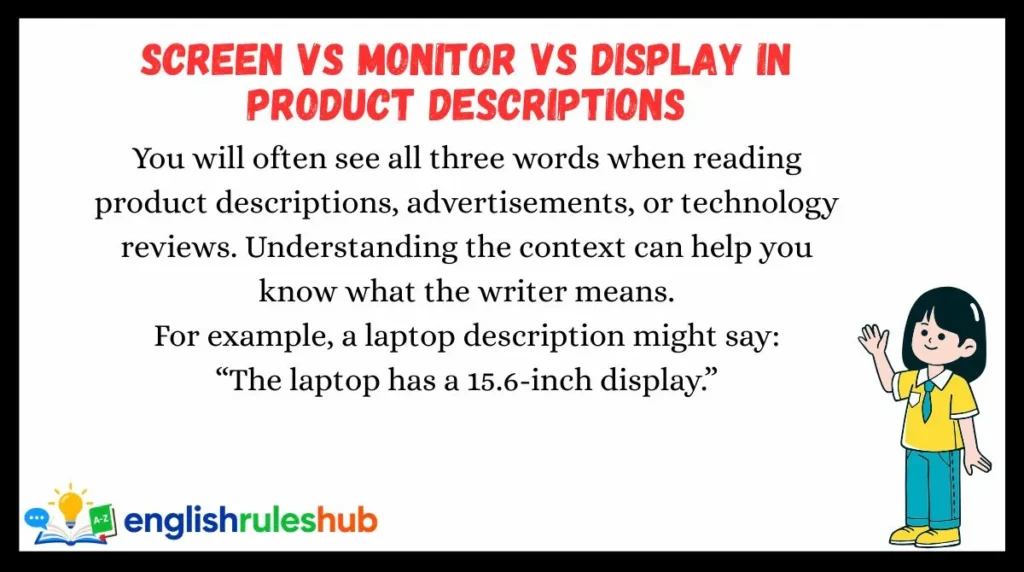
You will often see all three words when reading product descriptions, advertisements, or technology reviews. Understanding the context can help you know what the writer means.
For example, a laptop description might say:
“The laptop has a 15.6-inch display.”
Here, display is being used to describe a technical feature of the device.
A computer advertisement might say:
“Includes a 27-inch monitor.”
In this case, monitor refers to the separate product being sold.
A phone advertisement may use:
“Protect your phone screen with tempered glass.”
Here, screen refers to the visible surface that the user touches and looks at.
You may therefore see different words for closely related parts of the same technology. This does not mean the words are contradictory. They simply focus on different aspects: the screen as the viewing area, the monitor as a separate device, and the display as a broader technical or product feature.
Grammar Rules You Must Remember
Rule #1: Use “screen” for everyday talk about a device’s viewing area.
When you are talking about a phone, laptop, tablet, or TV in normal conversation, screen is usually the most natural choice.
Example:
“My phone screen is cracked.”
“Please clean the laptop screen.”
You do not need a technical word when ordinary English is enough.
Rule #2: Use “monitor” for a separate computer display.
When a display is a separate piece of equipment connected to a computer, monitor is usually the right word.
Example:
“I bought a new monitor for my desktop computer.”
You can also say:
“I use two monitors at work.”
This is common English in offices and computer-related conversations.
Rule #3: Use “display” when the context is broader or more technical.
“Display” is useful when discussing specifications, technology, or how a device presents information.
Example:
“The phone has a high-resolution display.”
You may also see “display” in product descriptions, technical manuals, and discussions about screen technology.
Rule #4: A monitor can have a screen.
This is an important relationship to remember.
A monitor is the device, while its screen is the viewing area.
Example:
“The monitor has a 27-inch screen.”
This sentence shows the difference clearly.
You can also say:
“The screen on my monitor looks too bright.”
So, the words are related, but they do not always describe exactly the same thing.
Common Mistakes Students Make
Learners often make mistakes because these three words overlap in meaning. They may learn one word and try to use it everywhere.
Mistake 1: Calling a phone screen a monitor
Wrong or unnatural:
“My phone monitor is broken.”
Better:
“My phone screen is broken.”
A phone has a screen. “Monitor” is normally used for a separate display device.
Mistake 2: Thinking “display” is always wrong in everyday English
Some learners avoid “display” because they think it is only a technical word.
That is not true.
You can naturally say:
“The display on my phone is very bright.”
However, in casual conversation, “screen” may sound simpler:
“My phone screen is very bright.”
Both can be correct. The choice depends on the context and the style of speech.
Mistake 3: Thinking screen and monitor are exactly the same
They are closely related, but there is a useful difference.
Compare:
“I bought a new monitor.”
This normally means you bought a separate display device.
Now compare:
“I bought a new screen.”
This could mean the visible panel itself, or it could be understood more generally. The exact meaning depends on context.
Mistake 4: Using “monitor” because it sounds more professional
Some learners think “monitor” is a better or more advanced word than “screen.”
It is not simply a more formal version of “screen.”
The words describe related but different ideas.
Say:
“Look at the screen.”
Do not change it to “monitor” just because you think “monitor” sounds more professional.
Easy Correction Tip
Ask yourself one question:
“Am I talking about the viewing area, or a separate computer device?”
If you mean the viewing area, choose screen.
If you mean a separate computer display, choose monitor.
If you are discussing technology or visual output in a broader or technical way, display may be the best choice.
Easy Trick to Remember the Difference
Here is a simple memory trick:
Screen = what you look at.
Monitor = the separate device you use to look at it.
Display = the general or technical word for showing visual information.
Imagine a desktop computer on a desk.
The whole separate device sitting in front of you is the monitor.
The part you actually look at is the screen.
The technology that presents the image can be described as the display.
Now imagine your smartphone.
You normally say:
“Look at my phone screen.”
You do not normally say:
“Look at my phone monitor.”
You could say:
“The phone has a beautiful display.”
That sounds natural, especially when talking about the phone’s technical features.
A quick memory sentence is:
The monitor has a screen, and the screen is a display.
This is not a strict technical definition for every situation, but it is a very useful way for English learners to remember the general difference.
Daily Life Examples
These examples show how native speakers commonly use the words in real situations.
Example 1: Talking about a phone
A: “Why can’t you read my message?”
B: “My phone screen is too bright in the sunlight.”
Here, screen is the natural everyday choice.
Example 2: Buying a computer
A: “What are you buying?”
B: “I’m looking for a new computer monitor.”
Because the person is talking about a separate computer display, monitor works well.
Example 3: Talking about a laptop
A: “What’s wrong with your laptop?”
B: “The screen keeps going black.”
A laptop has a built-in screen, so “screen” is natural.
Example 4: Talking about technical features
A: “How is the new phone?”
B: “It’s great. The display is very sharp.”
Here, display sounds natural because the speaker is talking about image quality and technology.
Example 5: Working with two monitors
A: “Why do you need two monitors?”
B: “I use one for writing and one for research.”
“Monitors” refers to two separate computer displays.
Example 6: Watching television
A: “Can you see the TV clearly?”
B: “No, the screen is too dark.”
For a TV, “screen” is very common.
Example 7: Cleaning a device
A: “Why are you cleaning your phone?”
B: “There are fingerprints all over the screen.”
Again, screen is the natural everyday word.
Example 8: Talking about a product
A: “What do you like about this phone?”
B: “I really like its bright display.”
“Display” works well when discussing a product’s features.
Example 9: Connecting a laptop
A: “Can I connect my laptop to this monitor?”
B: “Yes. It has an HDMI port.”
Here, the monitor is a separate device.
Example 10: Giving simple instructions
A: “Where should I click?”
B: “Click the button on the screen.”
This is a very normal use of “screen.”
Practice Section
Choose the best word: screen, monitor, or display.
1. My phone ______ is cracked.
2. I bought a new computer ______ for my office.
3. This phone has a beautiful OLED ______.
4. Please look at the ______ and read the message.
5. I connected my laptop to an external ______.
Answers
1. screen
“My phone screen is cracked.”
A phone normally has a screen.
2. monitor
“I bought a new computer monitor for my office.”
A separate computer display is usually called a monitor.
3. display
“This phone has a beautiful OLED display.”
“Display” is especially natural when discussing screen technology or product features.
4. screen
“Please look at the screen and read the message.”
This is an everyday instruction.
5. monitor
“I connected my laptop to an external monitor.”
An external monitor is a separate display device.
FAQs
What is the difference between a screen and a monitor?
A screen usually means the visible area where you see pictures and information. A monitor usually means a separate display device, especially one connected to a computer.
For example, a laptop has a screen, while a desktop computer often uses a separate monitor.
Is a phone screen called a monitor?
Usually, no. In everyday English, people normally say phone screen.
You can also use the word display, especially when discussing technical features, such as resolution or display technology.
For example, “This phone has a bright display” is perfectly natural.
Is “display” the same as “screen”?
Sometimes they can mean almost the same thing.
When talking about a phone or computer, “screen” and “display” can both refer to the area that shows visual information. However, display is often broader or more technical, while screen is more common in everyday conversation.
Is “monitor” formal or informal?
“Monitor” is neither simply formal nor informal. It is the normal word for a separate computer display.
You can use it in everyday conversation, work, school, and technical situations.
For example, “I need a second monitor” is a very normal sentence.
Can I say “computer screen” instead of “computer monitor”?
Yes, but the meanings can be slightly different.
“Computer screen” can refer to the visible part of a computer setup. “Computer monitor” usually refers to the separate physical display device.
For example, “The monitor has a large screen” shows the difference clearly.
Which word should English learners use most often?
For everyday conversation, screen is usually the most useful word.
Use monitor when you mean a separate computer display. Use display when you want a broader or more technical term, especially when discussing device features or technology.
Final Conclusion
The difference between screen, monitor, and display is easier than it first appears.
A screen is the word you will probably use most often in everyday English. It describes the visible area where you see pictures, text, videos, and other information. Phones, tablets, laptops, and TVs all have screens.
A monitor usually means a separate display device, especially one used with a desktop computer. A monitor itself has a screen.
Display is a broader word. It can describe the part of a device that shows information, and it is especially common when people talk about technology, product features, and image quality.
You do not need to worry about making every choice perfect. Native speakers sometimes use these words in overlapping ways.
Start with the simple rule: screen for everyday viewing areas, monitor for separate computer displays, and display for broader or technical contexts.
The best way to remember the difference is to notice how these words are used in real conversations. After you hear and use them several times, the choice will start to feel natural.

I am Benjamin Clark, an English language writer passionate about simplifying grammar, vocabulary, and word meanings. I create clear, accurate, and practical content to help learners improve their English skills with confidence every day.



2 thoughts on ““Screen vs Monitor vs Display” What Is the Difference? (2026 Guide)”